Container Security Tools: Key Categories and 12 Tools to Know in 2026
What are Container Security Tools?
Container security tools secure different parts of the container lifecycle (build, deploy, and run). Top container security tools include runtime security tools like Oligo and Falco, image scanning tools like Trivy and Clair, secrets management tools like HashiCorp Vault and AWS Secrets Manager, and Policy and Governance Tools like Open Policy Agent and Kyverno.
The rise of containers in cloud-native development has introduced unique security challenges, such as managing vulnerabilities in container images, securing communication between containers, and controlling access to sensitive data. Container security tools address these challenges by providing automated mechanisms to detect risks and respond to incidents quickly.
These tools integrate with container orchestration platforms like Kubernetes and Docker to ensure that security is maintained as containers are built, shipped, and run. While different tools have a different security focus, core features may include runtime threat detection, vulnerability scanning, compliance monitoring, and secrets management. By automating many aspects of container security, these tools enable organizations to maintain a secure posture without slowing down the rapid pace of containerized application development and deployment.
Why Container Security Tools Are Important
Container environments change and scale quickly, which makes manual security checks ineffective. These tools provide continuous visibility and automated protection, helping teams manage risk without slowing delivery.
- Reduce attack surface: Containers often include many dependencies. Security tools scan images to find known vulnerabilities before deployment.
- Detect runtime threats: Static scans are not enough. Runtime monitoring identifies suspicious behavior such as privilege escalation or unexpected network activity.
- Enforce security policies: Tools apply rules across environments, such as blocking untrusted images or restricting container capabilities.
- Secure the supply chain: They validate image sources, verify signatures, and ensure only trusted components are used in builds.
- Protect sensitive data: Secrets management features prevent hardcoding credentials and control how sensitive data is accessed.
- Support compliance requirements: Many tools map findings to standards like CIS benchmarks or SOC 2.
- Enable faster response: Automated alerts and integrations with incident response systems reduce time to detect and fix issues.
- Scale with orchestrated environments: Integration with Kubernetes and similar platforms ensures consistent security as workloads scale up or down.
Types of Container Security Tools
Runtime Security Tools
Runtime security tools protect containers during execution by monitoring their behavior and responding to suspicious activity. These tools watch for anomalies such as suspicious code execution, unauthorized process launches, unexpected network connections, or file system changes that could indicate an attack or compromise. Unlike static security controls, runtime security solutions operate continuously, providing visibility into container workloads and enabling immediate response to threats as they occur.
By integrating with container orchestration platforms, runtime security tools can enforce policies automatically, such as terminating or isolating suspicious containers. This approach reduces the window of opportunity for attackers and helps organizations contain potential breaches before they escalate. Runtime security tools are important for environments where containers are frequently created and destroyed, as they ensure consistent protection regardless of container lifespan.
Learn more in our detailed guide to container runtime security
Image Scanning Tools
Image scanning tools analyze container images for known vulnerabilities, malware, and misconfigurations before deployment. They scan operating system packages, libraries, and application code within an image, comparing them against up-to-date vulnerability databases. This process helps identify and remediate risks early in the development lifecycle, preventing insecure images from being deployed into production environments.
Image scanning is part of a secure DevOps pipeline. By integrating image scanning tools into CI/CD workflows, organizations can automate security checks and enforce policies that block the use of vulnerable images. This reduces the likelihood of security incidents and supports compliance with industry standards, while allowing development teams to maintain agility.
Secrets Management Tools
Secrets management tools securely store, manage, and distribute sensitive information such as API keys, passwords, certificates, and encryption keys used by containers. These tools help eliminate the risks associated with hardcoding secrets in source code or container images, which can lead to accidental exposure and unauthorized access. By providing centralized management and fine-grained access controls, secrets management tools ensure that only authorized services and users can retrieve sensitive data when needed.
Integration with orchestration platforms and automation pipelines allows secrets to be injected at runtime, minimizing exposure and supporting audit trails for compliance. Secrets management tools also offer features such as automated rotation, expiration, and revocation of credentials, reducing the attack surface and improving security in containerized environments.
Policy and Governance Tools
Policy and governance tools help organizations enforce security best practices and compliance requirements across containerized environments. These tools define and apply policies related to image provenance, resource usage, network access, and user permissions, ensuring consistent enforcement regardless of deployment scale. Automated policy enforcement reduces the likelihood of human error and helps maintain adherence to organizational and regulatory standards.
By providing audit trails, reporting, and integration with compliance frameworks, policy and governance tools simplify the process of demonstrating security controls during audits. They also support collaboration between security, operations, and development teams by making security requirements explicit and actionable, improving governance of containerized workloads.
Notable Container Security Tools
Runtime Security Tools
1. Oligo

Oligo delivers a leading container security solution by observing what code actually runs inside production workloads, giving AppSec, Cloud Security, SOC, and CISO teams a single source of truth on real exploitability. Deep Application Inspection identifies which container CVEs are loaded and executed at runtime, cutting vulnerability noise by over 90% and focusing remediation on the small fraction of findings that pose real risk.
At the application layer, where most container compromises begin, Oligo detects exploitation patterns as they unfold and blocks them at the syscall level without killing containers or disrupting the business, closing the gap that other container security tools leave open by sitting at the host or cloud boundary. Across the container fleet, Oligo surfaces anomalous execution patterns: unexpected processes, unauthorized network connections, and library or function calls that deviate from observed production reality, giving SOC analysts attack context and AppSec teams continuous proof of what is running. The result is a shared, real-time view of exploitable risk and active attacks that lets CISOs report reduced exposure with evidence, not estimates.
Key features include:
- Runtime CVE prioritization: prove which container vulnerabilities are loaded and executed in production, eliminating up to 90% of CVEs that pose no real risk.
- Deep Application Inspection: observe process execution, function calls, syscalls, and network activity inside running containers with a lightweight sensor running at less than 2% CPU overhead.
- Application-layer attack detection: detect exploitation at the moment it occurs inside the container process, before EDR and CNAPP tools see downstream symptoms at the OS or cloud boundary.
- Surgical syscall-level blocking: stop exploits in production by sandboxing the specific kernel activity an attack requires, without killing containers or disrupting the application.
- Anomalous execution pattern detection: flag unexpected processes, unauthorized network connections, and library or function calls that deviate from observed production reality across the container fleet.
- Real-time SBOM and VEX: continuously updated inventory of which components, versions, and functions are actually executing, replacing static scans with live ground truth.
- Shared SOC and AppSec context: deliver call stacks, exact lines of vulnerable code, and correlated attack chains in one view, giving SOC analysts incident context and AppSec teams developer-ready remediation.
2. Falco
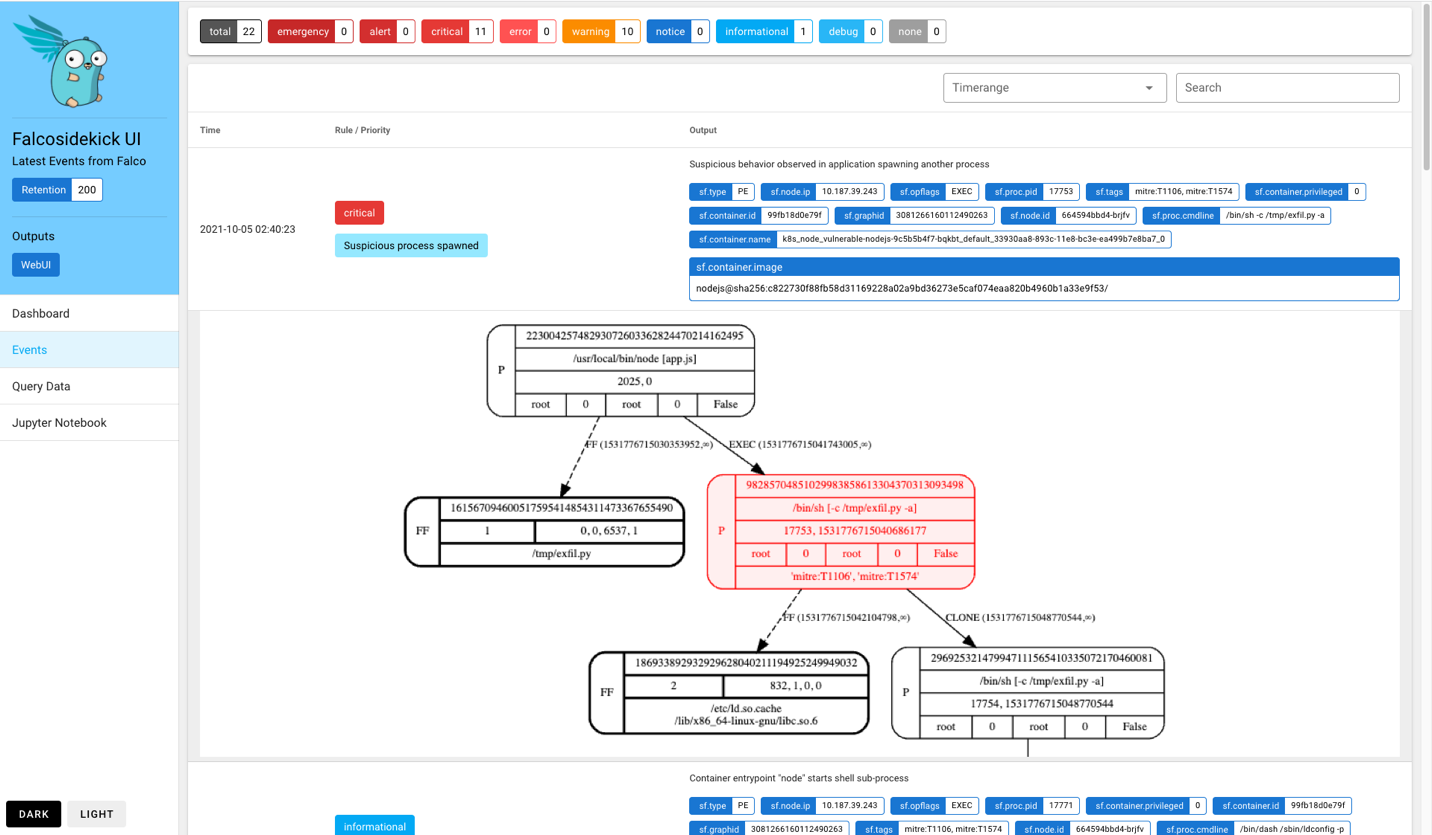
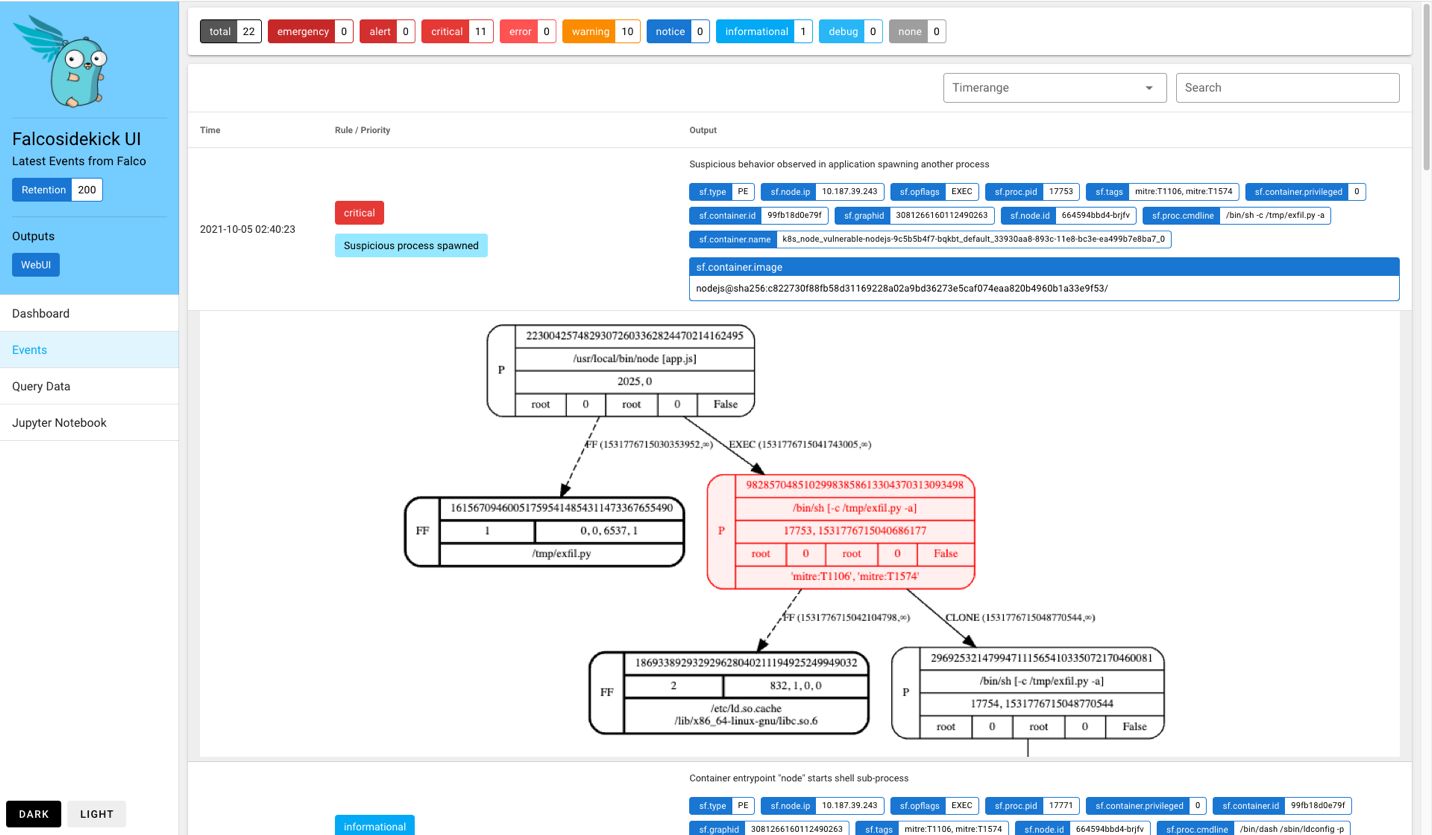
Falco is a runtime security tool built for cloud-native systems that monitors system activity to detect threats as they occur. It analyzes events from the Linux kernel and other sources, using technologies like eBPF to gain visibility into hosts and containers. By applying a rule-based engine, Falco identifies abnormal behavior, security violations, and misconfigurations, then enriches this data with context to produce alerts. Its real-time streaming approach allows teams to detect and respond to issues without relying on post-incident log analysis.
Key features include:
- Real-time streaming detection: Falco processes system and runtime events as a continuous stream rather than storing logs first.
- eBPF-based system visibility: Falco uses eBPF to observe low-level system calls and kernel activity.
- Customizable rule engine: Falco includes prebuilt detection rules and allows teams to define their own rules tailored to their environment.
- Cloud-native coverage: The tool operates across containers, Kubernetes clusters, hosts, and cloud services, and integrates with Kubernetes and external systems like AWS CloudTrail, GitHub, and Okta.
- Compliance and policy monitoring: Falco checks runtime behavior against defined rules to detect policy violations.
Source: Falco
3. Sysdig Secure
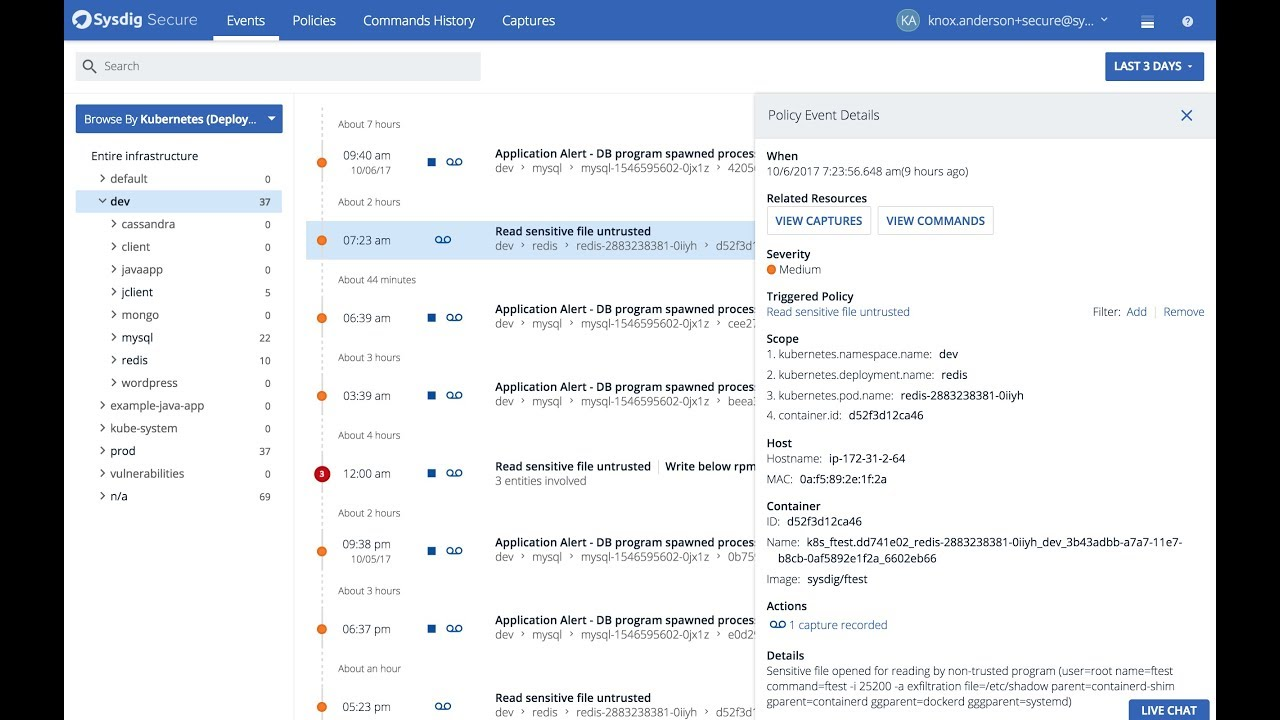
Sysdig Secure is a cloud-native application protection platform (CNAPP) that combines runtime threat detection, vulnerability management, posture management, and identity controls in a single solution. It uses runtime insights to detect and prioritize active risks across containers, Kubernetes, and multi-cloud environments. By integrating detection, scanning, and compliance in one platform, Sysdig Secure supports faster response to threats while maintaining visibility across the application lifecycle.
Key features include:
- Cloud-native application protection platform (CNAPP): Combines threat detection, vulnerability management, and posture management in a unified platform.
- Real-time threat detection and response: Monitors running workloads such as containers and Kubernetes clusters to detect suspicious activity using Falco rules.
- AI-powered security assistant (Sysdig Sage): Assists with search, vulnerability analysis, and threat investigation.
- Vulnerability management and image scanning: Scans container images and running workloads for known vulnerabilities and integrates with CI/CD pipelines and registries.
- Integrated DevSecOps workflow: Embeds security checks into development pipelines to detect and fix issues earlier in the lifecycle.
Source: Sysdig

Image Scanning Tools
4. Trivy
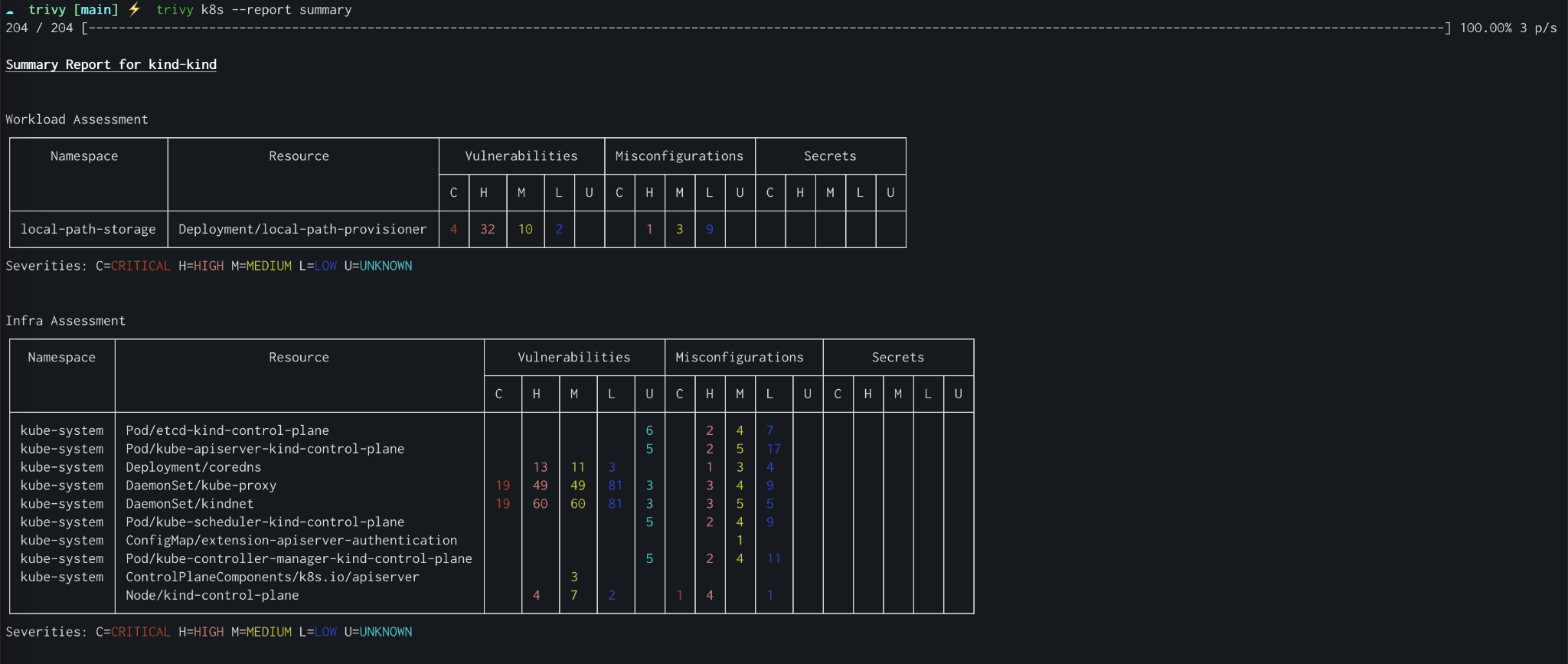
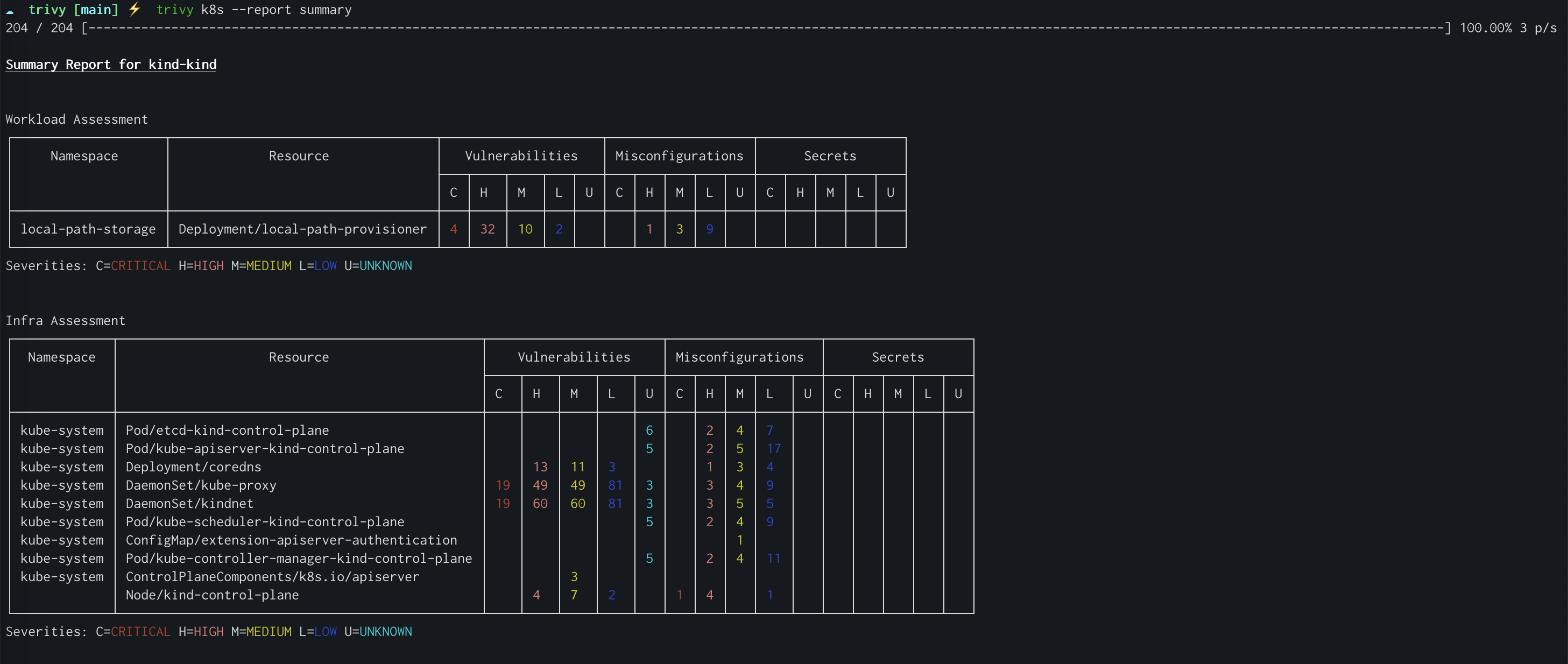
Trivy is an open-source security scanner that helps teams identify vulnerabilities and misconfigurations early in the development lifecycle. It supports a shift-left approach by scanning container images, filesystems, and infrastructure as code (IaC) with minimal setup. Trivy is lightweight and fast, requiring only a simple installation and target specification. Its built-in database updates automatically to provide up-to-date results. It integrates easily into CI/CD pipelines.
Key features include:
- Vulnerability and misconfiguration scanning: Scans container images, filesystems, and IaC configurations to detect known vulnerabilities and security issues.
- Fast setup and execution: Requires only a binary installation and a scan target.
- Shift-left security integration: Integrates into CI/CD pipelines and supports filtering results from the command line.
- Infrastructure as code (IaC) scanning: Analyzes IaC configurations to identify misconfigurations and security risks.
- Broad ecosystem compatibility: Integrates with tools and platforms such as GitHub Actions, Kubernetes dashboards, and container registries like Harbor, and exports results in formats such as SARIF and JUnit XML.
Source: Trivy
5. Clair

Clair is an open-source container security tool that performs static analysis on container images to identify vulnerabilities before deployment. It analyzes image contents, including operating system packages and application dependencies, to detect known security issues. Clair updates its vulnerability database and re-evaluates images as new vulnerabilities are discovered, giving teams an up-to-date view of image risk without rescanning from scratch.
Key features include:
- Continuous static analysis: Analyzes container images and updates its vulnerability database as new issues are disclosed.
- Deep container visibility: Inspects the internal contents of container images to show included software and dependencies.
- Designed specifically for containers: Focuses on identifying vulnerable packages and libraries in container images.
- Broad ecosystem and content support: Supports Linux distributions such as RHEL, Alpine, Ubuntu, Debian, Oracle, and Photon, and analyzes dependencies across languages including Java, Python, Go, and JavaScript.
- Scalable deployment model: Supports large container registries as well as local development setups or CI pipelines.
6. Grype

Grype is an open-source vulnerability scanner that analyzes container images, filesystems, and software bill of materials (SBOMs) to identify known security issues. It is a lightweight CLI tool that runs locally without external dependencies, making it easy to integrate into development workflows. By scanning software components and matching them against a vulnerability database, Grype helps teams detect and prioritize risks early.
Key features include:
- Multi-target vulnerability scanning: Scans container images, local filesystems, directories, and SBOMs to detect known vulnerabilities.
- Support for OS and language ecosystems: Detects vulnerabilities in operating system packages and application dependencies across multiple languages.
- SBOM-based scanning: Analyzes existing SBOMs for vulnerability detection without rescanning entire images.
- Broad container format support: Works with Docker, OCI, and Singularity image formats.
- Risk and threat prioritization: Enhances results with metrics such as EPSS, Known Exploited Vulnerabilities (KEV), and risk scoring.
Secrets Management Tools
7. HashiCorp Vault
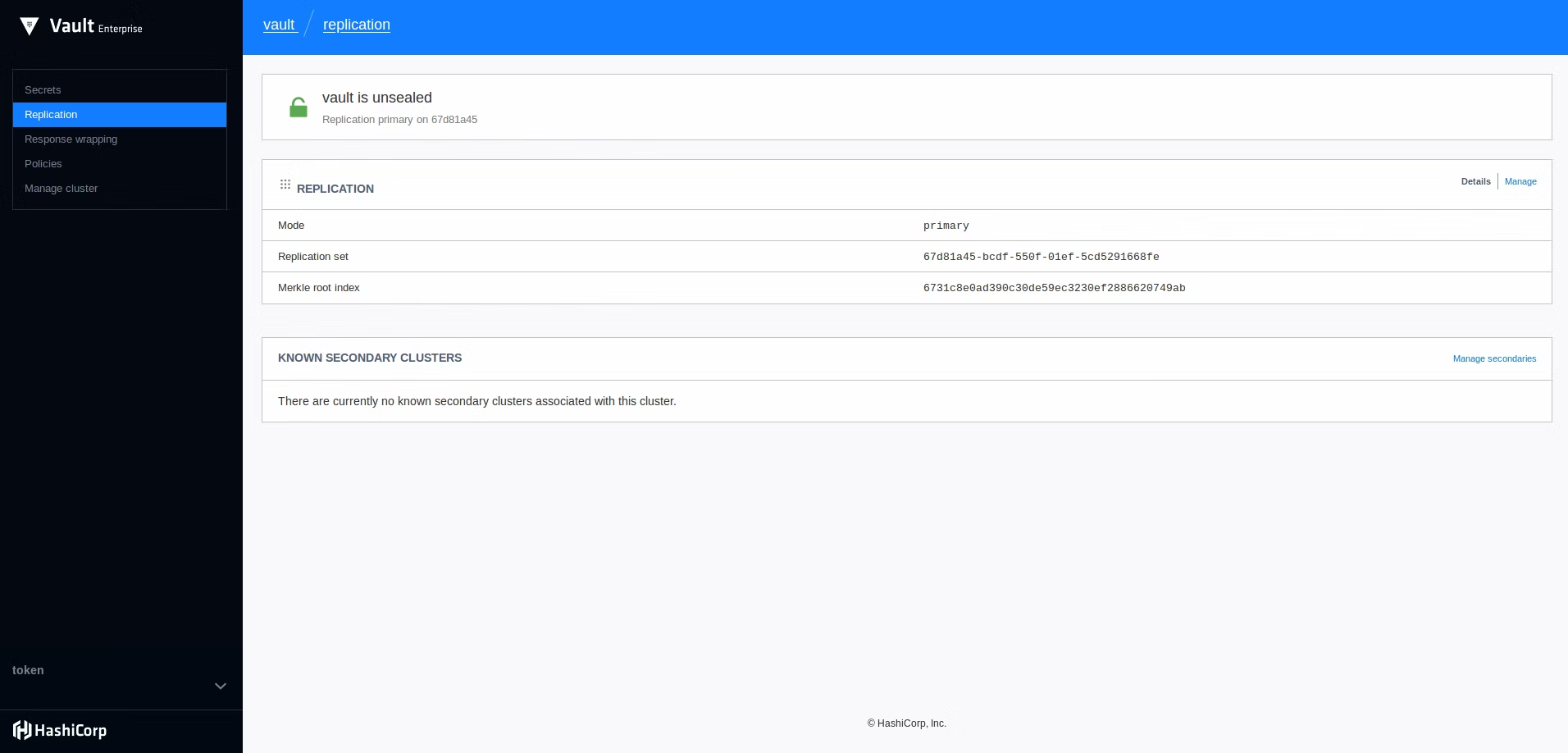
HashiCorp Vault is a secrets management solution that secures sensitive data such as credentials, keys, and certificates using identity-based access controls. It centralizes the storage and distribution of secrets while enforcing authentication and authorization for every request. By using dynamic, short-lived credentials and automated lifecycle management, Vault reduces the risk of credential exposure and supports a zero trust security model across applications, infrastructure, and services.
Key features include:
- Centralized secrets management: Provides a single system to store, access, and distribute secrets such as API keys, passwords, and tokens.
- Dynamic and short-lived credentials: Generates credentials on demand and automatically expires them.
- Identity-based access control: Governs access to secrets using authenticated and authorized identities.
- Encryption as a service: Provides built-in encryption capabilities to protect data at rest and in transit.
- Automated secrets lifecycle management: Automates creation, rotation, revocation, and expiration of secrets through a unified API.
Source: HashiCorp Vault

8. AWS Secrets Manager
AWS Secrets Manager is a managed service that helps organizations store, manage, and control access to sensitive information such as credentials, API keys, and tokens. It integrates with AWS identity and monitoring services to enforce fine-grained access control and provide visibility into secret usage. By automating tasks like secret rotation and replication, AWS Secrets Manager reduces operational overhead and improves security and availability across applications and services.
Key features include:
- Secure storage and encryption: Stores secrets using built-in encryption and allows programmatic access.
- Fine-grained access control: Access to secrets is managed using AWS Identity and Access Management (IAM) policies.
- Automatic secret rotation: Rotates credentials on demand or on a schedule for AWS services and third-party systems.
- Centralized secrets management: Provides a central location to store and manage secrets across applications and environments.
- Audit and monitoring integration: Integrates with AWS logging and monitoring services to track access and usage of secrets.
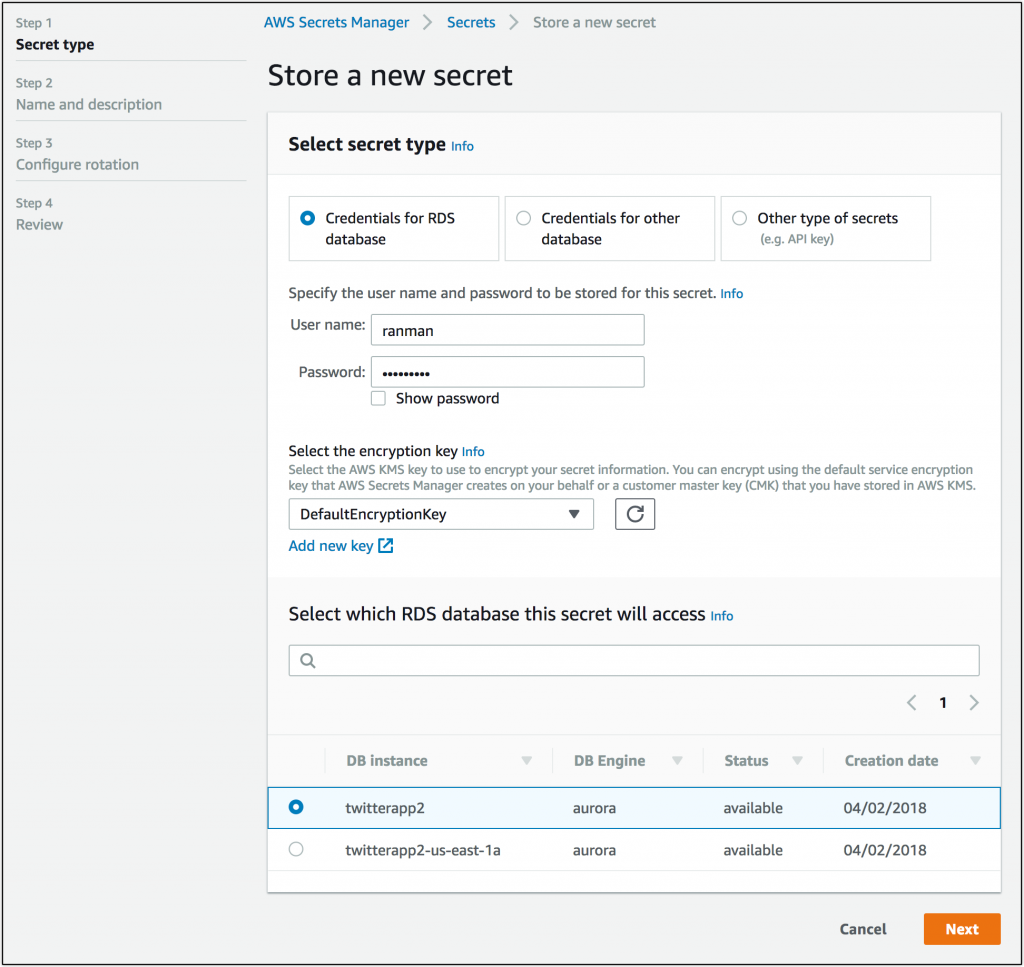
Source: AWS Secrets Manager

9. Doppler

Doppler is a secrets management platform that centralizes and manages sensitive configuration data across projects, teams, and environments. It provides a structured system for organizing secrets while enabling real-time synchronization across infrastructure. By combining access control, versioning, and automation features, Doppler helps teams reduce configuration errors and prevent secret sprawl.
Key features include:
- Centralized secrets management: Acts as a single source of truth for secrets, organizing them into projects and configurations.
- Environment and config management: Organizes secrets into configs that represent environments such as development, staging, and production.
- Real-time synchronization: Synchronizes changes to secrets across connected systems and team members.
- Fine-grained access and change control: Supports controlled access through features like change requests.
- Developer-friendly secrets editor: Includes an editor for managing secrets and reducing configuration errors.
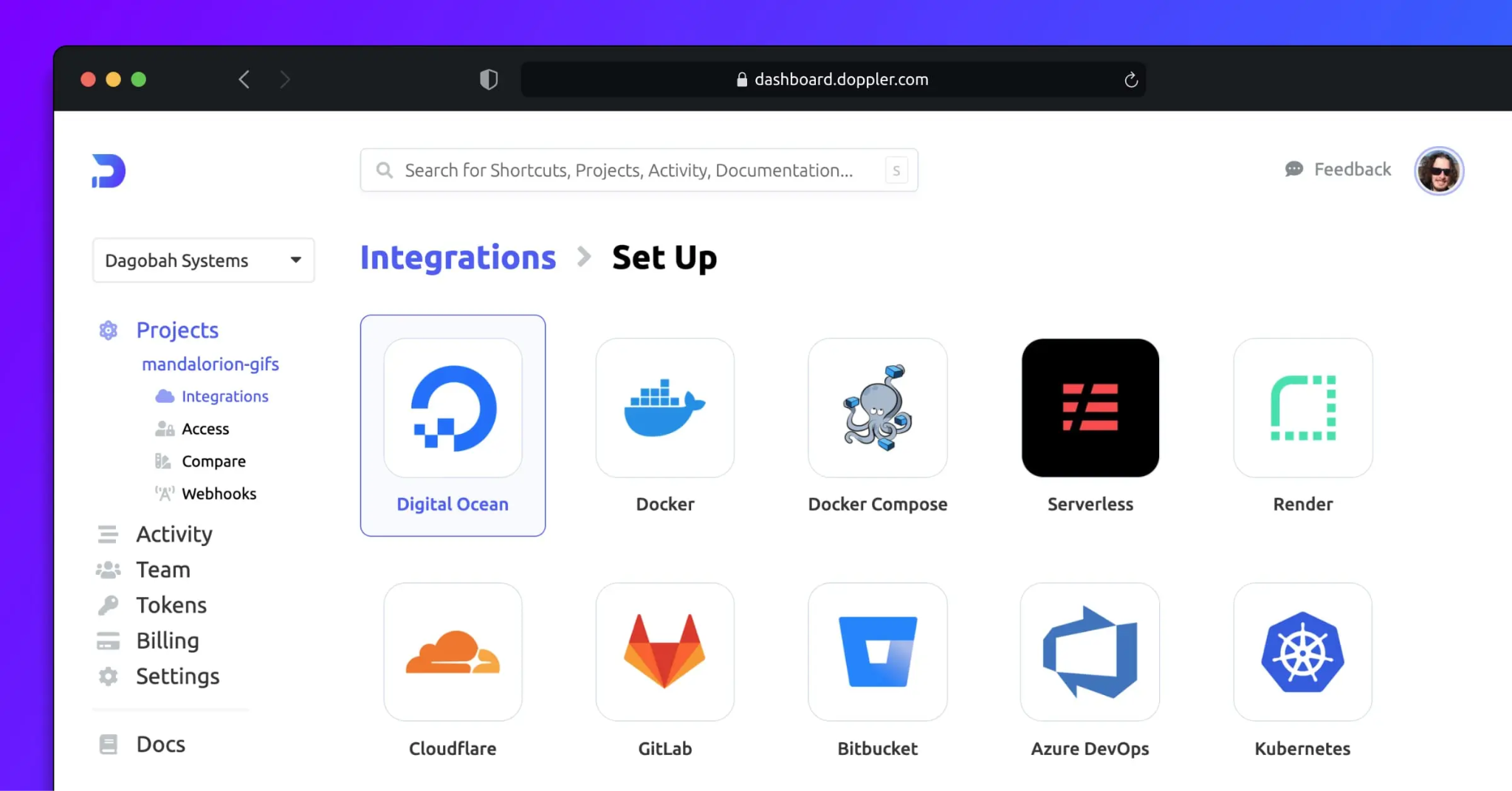
Source: Doppler

Policy and Governance Tools
10. Open Policy Agent

Open Policy Agent (OPA) is an open-source policy engine that enables organizations to define and enforce policies across applications, infrastructure, and services. It separates policy decision-making from application logic, allowing systems to query OPA for decisions based on structured input data. Using its declarative policy language, Rego, OPA supports policy as code for access control, compliance rules, and operational constraints across environments such as Kubernetes, microservices, and CI/CD pipelines.
Key features include:
- Policy as code with Rego: Uses a declarative language called Rego to define reusable and testable policies.
- Decoupled policy decision engine: Separates policy logic from application code by returning decisions based on structured input.
- Flexible input and output model: Accepts structured data as input and produces structured decisions as output.
- Broad integration across the stack: Enforces policies in systems such as Kubernetes, microservices, API gateways, and CI/CD pipelines.
- Fine-grained policy enforcement: Defines detailed rules for access, actions, and configuration requirements.
11. Kyverno
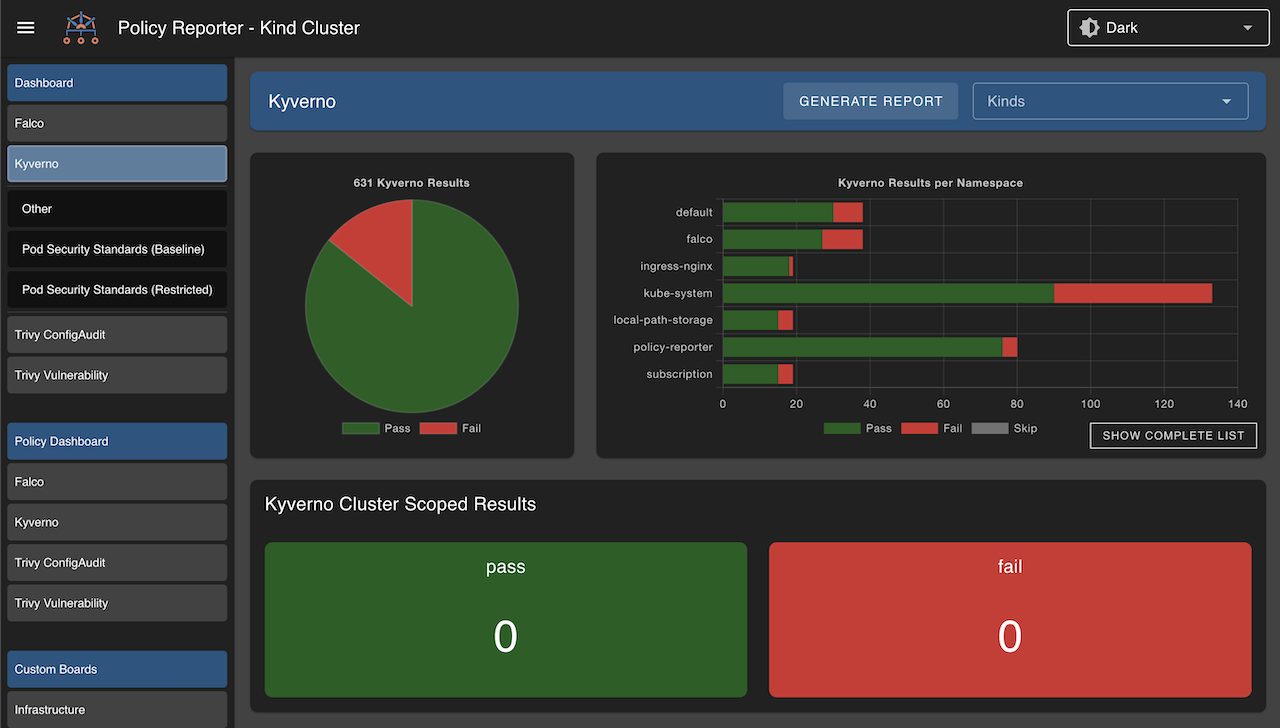
Kyverno is a cloud-native policy engine that enforces security, compliance, and best practices in Kubernetes and related environments. It allows teams to define policies using YAML and apply them as Kubernetes resources. Acting as an admission controller and runtime policy engine, Kyverno can validate, mutate, generate, and clean up resources automatically to enforce governance.
Key features include:
- Policy as code using YAML: Allows policies to be written in YAML and supports expressions using CEL.
- Kubernetes-native policy management: Manages policies as standard Kubernetes resources using tools like kubectl and Git.
- Admission control and runtime enforcement: Runs as an admission controller and performs background scans of existing resources.
- Comprehensive policy actions: Supports validation, mutation, generation, and cleanup actions.
- Flexible resource matching: Targets resources based on attributes such as kind, name, labels, and selectors.
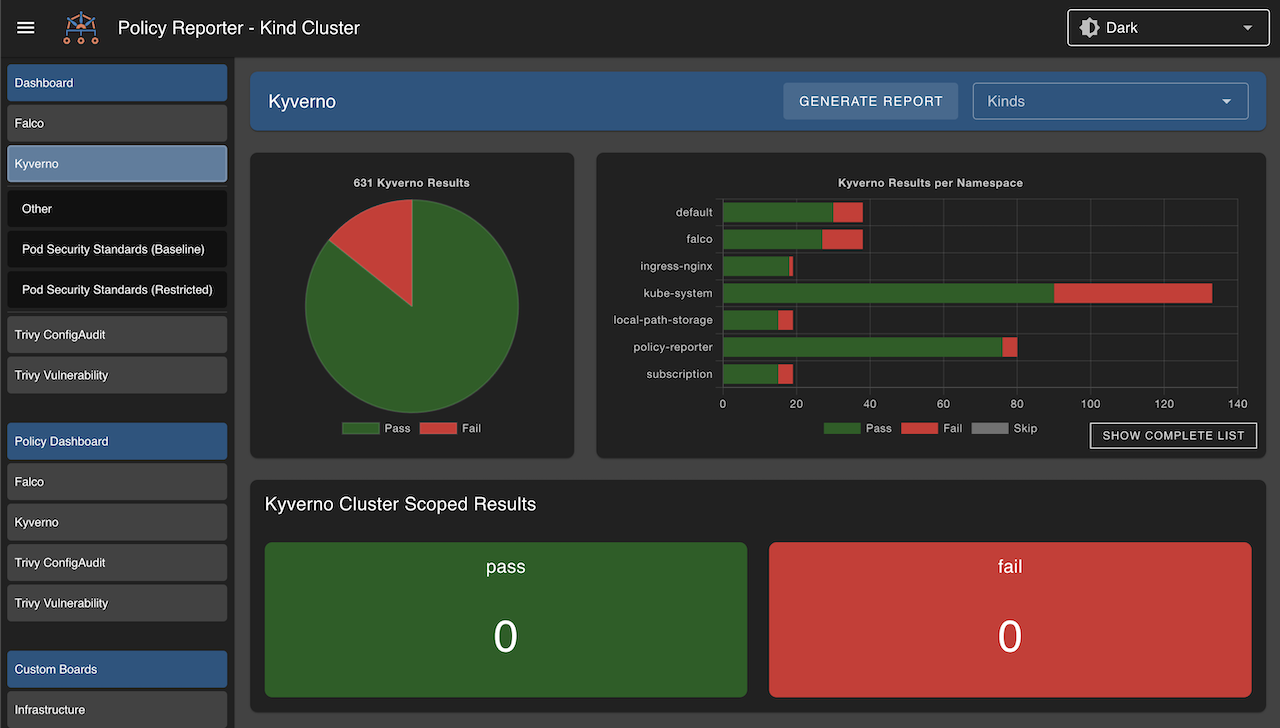
Source: Kyverno
12. Kube-bench
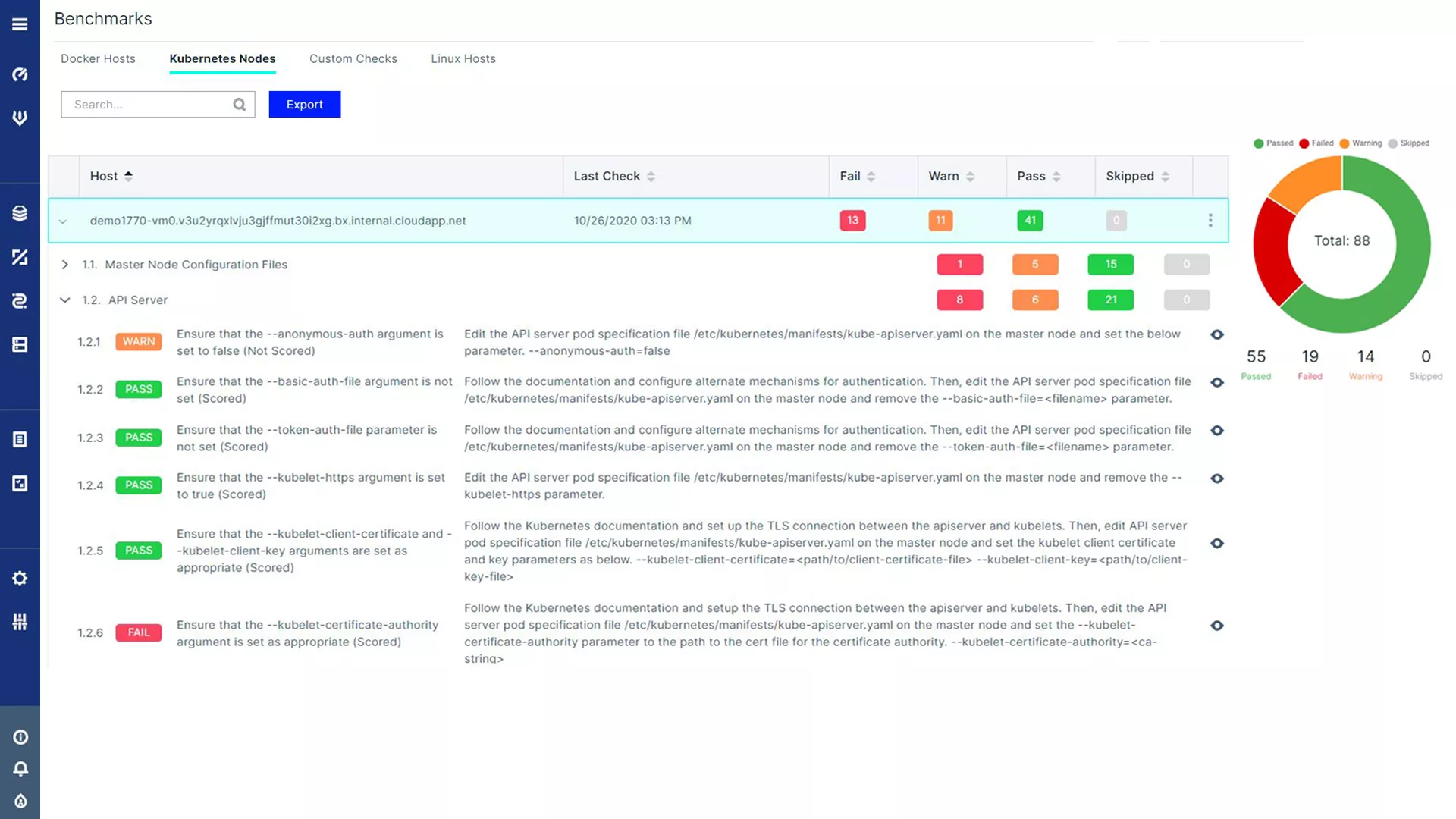
Kube-bench is an open-source tool that validates Kubernetes clusters against the CIS Kubernetes Benchmark, a set of best practices for securing Kubernetes environments. It runs checks on components such as the API server, kubelet, and etcd, and reports whether configurations meet recommended security standards. Kube-bench helps teams identify misconfigurations and maintain a secure Kubernetes setup.
Key features include:
- CIS benchmark compliance checks: Evaluates clusters against the CIS Kubernetes Benchmark, covering components like the API server, kubelet, scheduler, controller manager, and etcd.
- Automated security auditing: Automates security checks across Kubernetes components.
- Detailed and actionable reporting: Generates reports indicating which checks passed or failed and provides remediation guidance.
- Support for multiple environments: Works across on-premises clusters and managed services such as GKE, EKS, and AKS.
- Continuous security integration: Integrates into CI/CD pipelines to perform ongoing configuration checks.
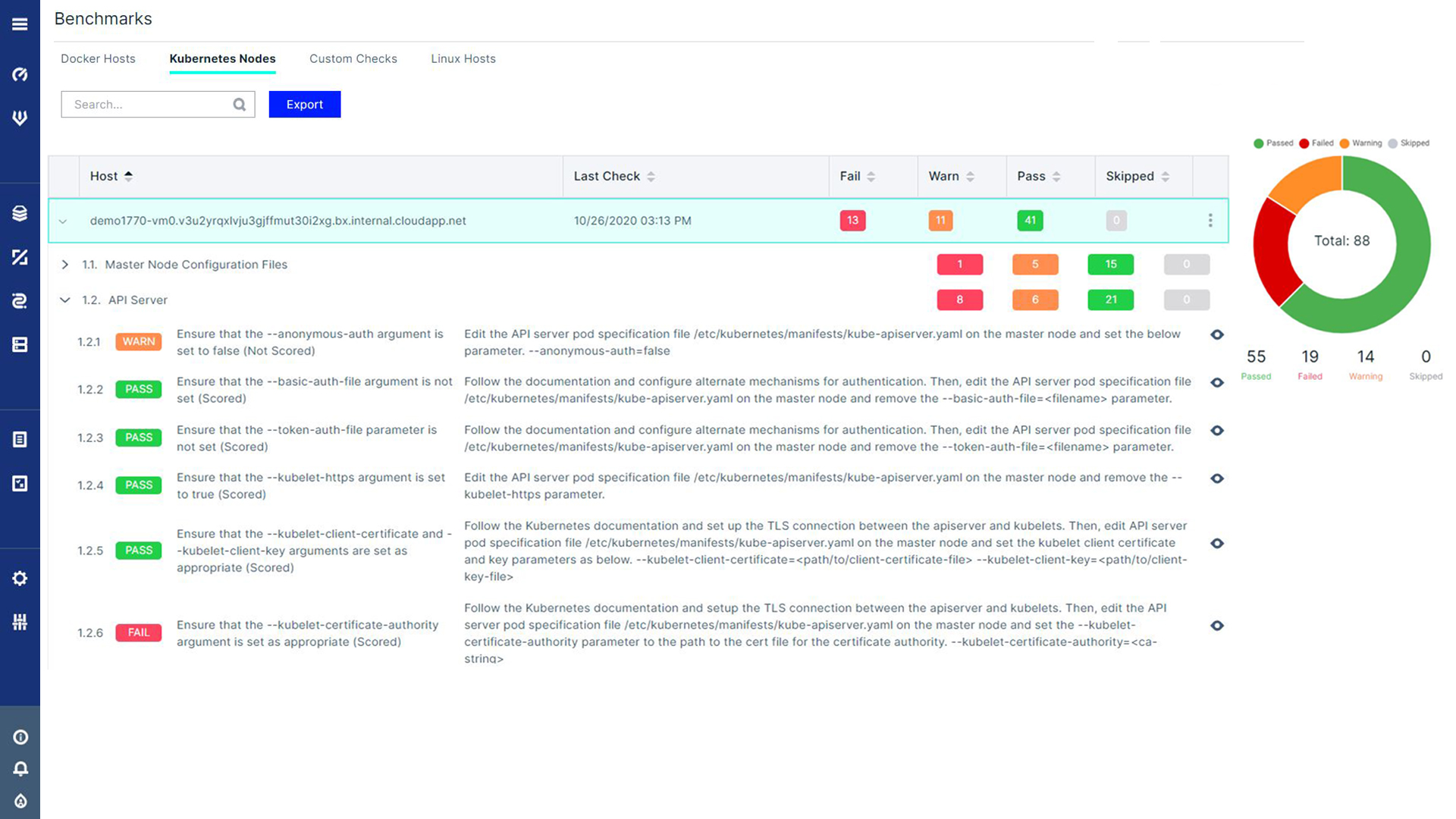
Source: Aqua Kube-Bench
Conclusion
Securing modern cloud-native environments requires a continuous and automated approach to protection. By integrating various security functions across the container lifecycle, organizations can manage risk effectively. This ensures that potential vulnerabilities are addressed early and runtime threats are detected instantly, allowing development teams to maintain speed and agility while upholding a strong security posture.
Expert tips


Stop modern attacks and keep your business moving