From Detection to Resolution: How ADR Actually Works Day to Day
If you’re evaluating Application Detection and Response (ADR), the fair question isn't just what it can detect, but whether it actually fits into how your team already operates. ADR isn't meant to replace all of your cloud and application security tools; they tell you what could be attacked. ADR tells you what is being actively attacked. Knowing the difference is what cuts down the noise your team deals with every day.
Security teams have never been short on alerts. What’s consistently missing is confidence that the alerts coming in represent real attacks instead of an unfamiliar but legitimate quirk of an environment running hundreds of applications built on thousands of open source libraries.
Part of the problem is where most security tools sit. Without visibility into the running application, they see an exploit’s outcome, like a reverse shell, but not the exploit itself. And outcomes are ambiguous: a backup job running a shell command, a deployment tool spawning child processes, and a real reverse shell can look alike from the outside. Every hour your analyst spends ruling out the first two is an hour not spent on the one that matters.
Oligo's approach flips the question. Instead of asking "does this process look unusual?" it asks "is this specific code path being actively exploited right now?" It answers that question by watching your applications run in production, without adding meaningful overhead. It then turns what it sees into a workflow you can act on in real time and review cleanly afterward, without piecing it together from alerts across multiple tools.
Let's walk through how you put Oligo ADR to work: from gaining visibility into a running application, to detecting a real incident, to seeing its full story in the Attack Graph, to containing it and keeping the platform useful week over week through rule management and suppressions.
First, How Oligo Sees What's Actually Happening
Oligo uses a lightweight BPF sensor that runs inside the Linux kernel without application code. Many eBPF tools stop at syscalls, the requests an application makes to the operating system, like opening a file or starting a process. Oligo also sees which functions are executing inside your application and connects the two in real time.
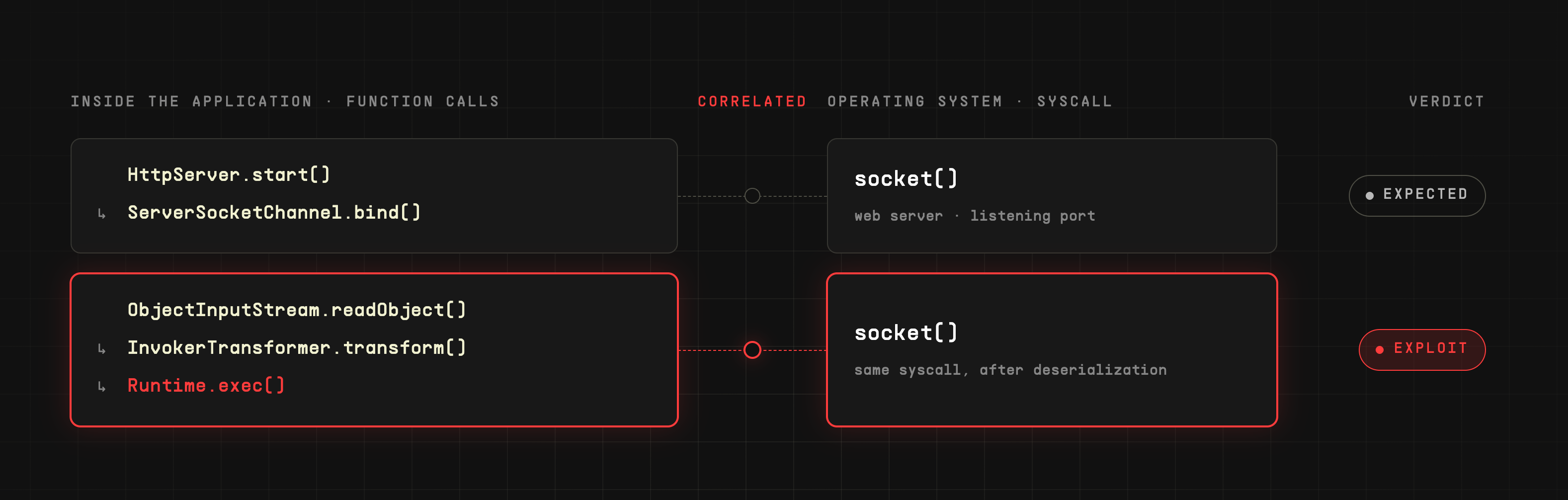
That correlation allows the technology to distinguish a benign syscall in one context from the same syscall being the tail end of an exploit in another context. For example, a process opening a socket is normal for a web server. That same syscall, immediately following an unusual sequence of function calls inside a deserialization library (code that turns stored data back into live objects), is a strong signal of active exploitation. Seeing both halves at once is what lets you distinguish “this library behaves strangely because that's its job” from “this library is being abused.”
A Day in the Life with Oligo
Here's what that correlation looks like against a real attack pattern. For any team running AI in production, public model hubs like Hugging Face are now part of the software supply chain. A large share of the models on them are stored in formats built on Python's pickle, its built-in format for saving and loading objects, and loading a pickle file can execute code by design. Hugging Face says so in its own documentation. In early 2025, ReversingLabs researchers found models on Hugging Face carrying malicious code that the platform's scanning didn't flag as unsafe: the payload sat at the front of a deliberately broken pickle stream, so it ran the moment the file was loaded, while the scanners failed to parse it.
Let’s say a data science team needs a model for a niche classification task and finds a scikit-learn model on Hugging Face, trained by an independent developer, that benchmarks well. They evaluate it on a workstation, it passes the hub’s scanning and the team’s own review, and it gets copied into the internal model bucket that a nightly batch scoring job on Kubernetes reads from. Like many scikit-learn models, it’s saved as a pickle file, and the job loads it the standard way, with joblib, which uses pickle under the hood.
The payload was written to stay quiet unless it finds itself inside a Kubernetes pod, which is why the workstation evaluation looked clean. When the scoring job runs that night and loads the file, the payload at the front of the stream runs before the model itself is rebuilt, and it does something a model load has no legitimate reason to do: it tries to start a shell that would open a reverse connection to an external host, giving the attacker remote control of the job. Outbound traffic from the part of the cluster where ML jobs run is broadly allowed because the same cluster pulls models and datasets from the internet every day. So if that shell had started, nothing at the network layer would have stopped it.
The alert that reaches a SOC analyst isn’t a guess, and it isn’t a breach in progress. Months earlier, the security team moved Oligo’s pickle deserialization rule from alert-only to blocking after watching it run cleanly against their workloads. So when Python’s pickle loader executed the specific sequence of function calls that precedes an insecure deserialization exploit, and the payload immediately tried to launch a shell, the sensor denied that one call at the kernel level. The scoring job’s process was never killed; the shell just never ran. That correlation is the detection, the confirmation, and the block: a known attack technique fired inside a specific library in a specific workload, in real time, and was stopped. It doesn’t matter that the file looked clean at rest, behaved during evaluation, or that no CVE exists for it. The analyst doesn’t need to dig through a process tree to know this is real.
What that code-level detection doesn’t answer on its own is where the attempt came from and what it was trying to do, and that’s where process lineage and process tree come in. The lineage attached to the detection shows which processes sat behind the blocked shell launch, confirming it came from the scoring job’s Python process, which has no reason to start a shell. The process tree fills in the rest of the chain, rendered as a graph instead of a list, along with the command the payload tried to run: one that would have opened a connection to an unfamiliar address. Stack trace reconstruction ties that attempt back to the exact code path, from the job's model loader into Python’s pickle loader, so the analyst knows the entry point was the model file and the team knows exactly where the untrusted file entered the code path.

Because that lineage and tree travel with the finding, enriched with workload context like pod, container, image, namespace, and node, it doesn't stay isolated. Oligo correlates it with related events across the application and workload layers into a single incident, and renders the whole thing as an Attack Graph: one connected, time-ordered view, reaching back to the image and library that loaded the model and forward through the exploit to the blocked shell launch. The analyst works from that incident, not a pile of disconnected alerts to piece together by hand. It carries its own status as the response plays out, and it's what a security leader can open afterward to see exactly what happened without asking someone to narrate it.
Rules, but Make Them Work
Once you’ve seen the pattern, it’s worth looking at why it was stopped. In the Hugging Face model scenario, there isn't a patch to wait for. Nothing is wrong with Python’s pickle loader. It did exactly what it was built to do. This is where Oligo’s blocking comes in: rules that stop a specific behavior every time it happens, rather than guessing based on what looks unusual.
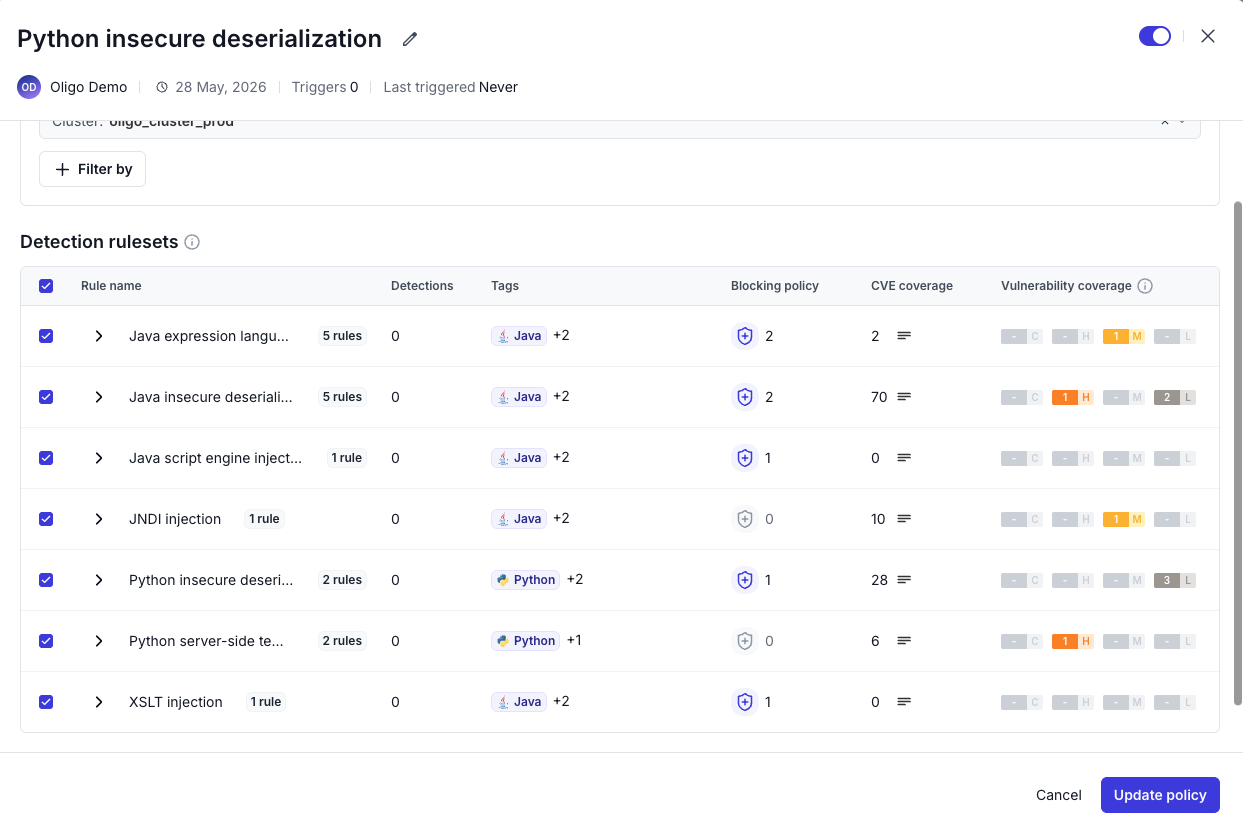
Rules aimed at insecure deserialization, for example, don’t need to know about every CVE that abuses that pattern, or about every malicious model file uploaded to a public hub. Because they target the underlying technique, they cover a broad set of high and critical CVEs in Java and Python, including vulnerabilities that haven’t been disclosed yet. When the sensor detects the sequence of function calls that precedes an exploit of that technique, it blocks the specific syscall directly at the kernel level rather than killing the container or terminating the process. Your application keeps running; only the malicious action is stopped.
That reframes rule management from “did we patch this CVE yet?” to “which techniques do we have coverage for, and where are they enforced?” A new rule can start in an alert-only mode and move to actively blocking once you trust it, which is exactly how the team in this scenario got there, and you can leave lower-severity rules off by default to keep noise down. Here, the pickle deserialization rule is what blocked the shell before it ever ran, without anyone rolling a hotfix at 2am or pulling every model the team depends on. What’s left is short and specific: pull the model from the internal bucket and resolve the incident. Every detection correlated into it resolves along with it.
Suppressing Noise, Not Visibility
No environment is free of unusual-looking but legitimate activity. A scheduled job that shells out to a backup script, a deployment tool that spawns child processes during a release, a legacy application with a quirky but harmless startup sequence: all of these can look, at a glance, like the same kind of anomaly that indicates compromise. If every one of them generates a fresh alert every time it runs, you stop trusting the alerts, which is the exact alert fatigue problem detection and response is supposed to fix.
Suppressions are how you encode "we've reviewed this, it's expected" without turning down detection broadly. Rather than muting a whole rule or an entire workload, a suppression is scoped: this specific process lineage, in this specific workload, under this specific condition, is known and accepted. Everything outside that scope still triggers normally. That scoping is what separates a suppression from simply disabling a rule. You keep full visibility and tell the platform which already-investigated pattern doesn't need to be re-investigated every time it recurs.
Your environment keeps changing: new applications ship, new deployment tools get adopted, new models get pulled in, new legitimate quirks show up. You add new suppressions as those edge cases surface, and you periodically review existing ones so they don't quietly mask future pattern changes. Your attention stays on activity that represents something genuinely new, like a model load trying to spawn a shell, which wouldn't match any existing suppression and would correctly surface as an incident.
What This Means for Security Leadership
The operational loop is short. The sensor watches your running applications. Deep Application Inspection turns what it sees into findings with context. Process lineage and process tree show your analyst what the exploit tried to do in minutes instead of hours. Rules stop confirmed exploits at the kernel level without downtime. Suppressions keep the noise low enough that the next real incident doesn’t get buried.
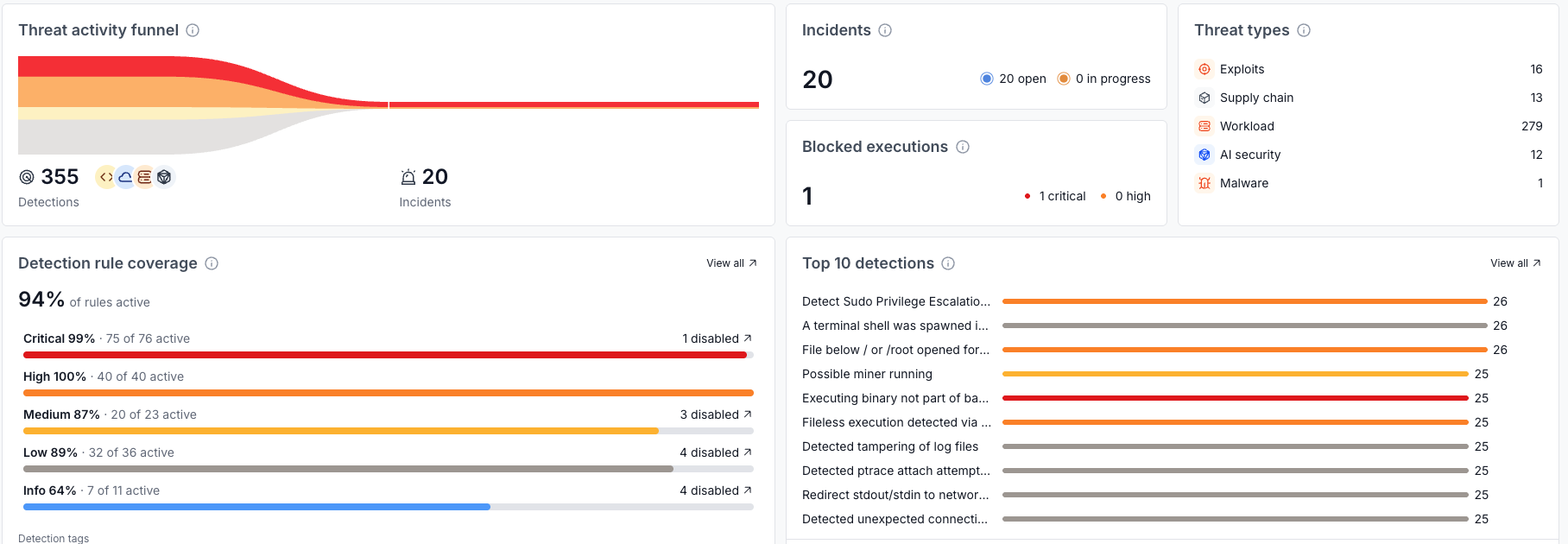
The payoff isn't just fewer alerts; it's confidence that the ones left are worth someone's time. The Oligo Attack Graph is what makes that provable after the fact: instead of reconstructing what happened from a raw alert feed or asking an analyst to narrate it, you can open the incident's Attack Graph and see the full attack, from how it entered the environment to what it tried to do, in one connected view. That's the artifact that makes an incident review, a board update, or a post-mortem faster to put together, and it's built from the same detection and response workflow you're already running day to day, not a separate reporting exercise bolted on afterward.
None of this asks you to rip out what's already working. Your cloud and application security tools, and the model scanners on the hubs you pull from, still do their job upstream, reducing what's exposed in the first place. The Hugging Face case shows why that isn't the whole job: a file can pass every check at rest and still do something malicious the moment it runs. ADR closes the gap those tools were never built to cover, telling you when exposure turns into an actual attack. Which brings it back to the question this post started with: not what ADR detects, but whether it fits how your team already works. It does, and it takes work off your analysts instead of adding to it.
Stop modern attacks and keep your business moving